Electronic Medical Records Could Pose a Threat to Your Privacy & Security
It is no surprise that Electronic Healthcare Records / Electronic Medical Records are all over the news currently. It is an issue that affects our privacy and anytime that is in question, we get people on both sides of the fence up in arms.
Built into the 2009 stimulus bill are requirements that healthcare records go digital by 2014. Yet it is not mandated exactly how that be done, nor how that is to be protected. If you Google around a little bit you will find websites and forums dedicated to this topic. Obviously more is being said about the policy itself than the mechanics of it. I won’t get into what I believe here, but I will cover some specifics about how medical facilities are handling this requirement.
Some doctors in small practices are already digital, or at least using a blend of paper records and electronic records. They may be storing them in various formats, from scanning the paper documents and storing images of them on a computer, to having full fledged professionally written and mainstream client management systems, but the majority I am aware of in family practices go for the cheapest way out in order to have their data on computers. The advantages of having digital copies are that they can back it up offsite in case of a catastrophe and, they can access it from another location besides their own office, in the event they need to do so.
Now for the downsides. These systems have the exact same vulnerabilities that your desktop PC has, because they are using nothing more than the standard desktop PC. IF they are at all concerned about HIPAA they may have some safeguards in place, but time and time again, I hear about computers with some of the following issues:
No backup system in place: Not a threat to YOUR data, but all that information could be lost.
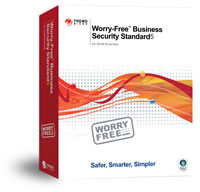
No anti-virus, or outdated / non-functional anti-virus: Of course this is a huge issue and could pose the largest threat. Even though anti-virus, like Trend Micro Worry Free Business Security is affordable, many doctors fail to realize the importance of this, or feel that using a FREE product is fine, when in fact it is against the terms of usage for those “free” products to be used in business.
Machines not patched: Another common-place problem is for computers to go without updates from Microsoft (or even Apple if they are using Mac OS-X) which make for extremely vulnerable systems – one part-time employee gets bored and browses to the wrong site and a bad guy now has access to everything inside that doctor’s office because the OS had big gaping holes in it, or applications such as Adobe Flash were unpatched.
Hardware firewall not in use or outdated: Many people believe the firewall on their PC (either built-in one or one provided by an anti-virus solution) is adequate and all they have in place is a Linksys, D-Link or other router. Firewalls keep bad guys from getting in, or at least slow them down. Quality devices from Cisco, WatchGuard, SonicWALL, Zyxel are affordable these days, however many opt to leave them out of the mix. A common excuse I hear is that the ISP provides their firewall, in the form of an Adtran or even a Cisco router, but nobody is aware of whether it has the latest software loaded on it. Any firewall in place is better than none, but one that is not up to date is vulnerable to someone who really wants in.
These are just a few of the more common issues that can make Electronic Medical Records vulnerable to disclosure. The list is a long one, and it is best to enlist the assistance of a computer service provider to evaluate your network. In fact, it would be a good idea to have more than one network support specialist look over your network if you are in the medical field. If you are in the Greenville or Upstate SC area, please call upon us at 864-990-4748 or email info@homelandsecureit.com if you would like more information. We are authorized dealers for Cisco, Trend Micro, SonicWall, Zyxel, WatchGuard, Servosity Online Backup and more.
If you worry about the security of your medical records, ask your healthcare provider to provide you with information that shows what they are doing to protect your privacy.