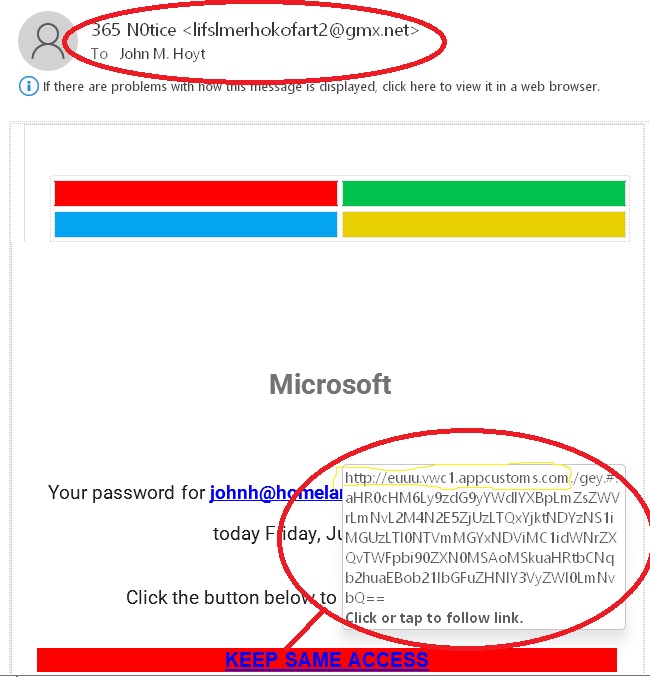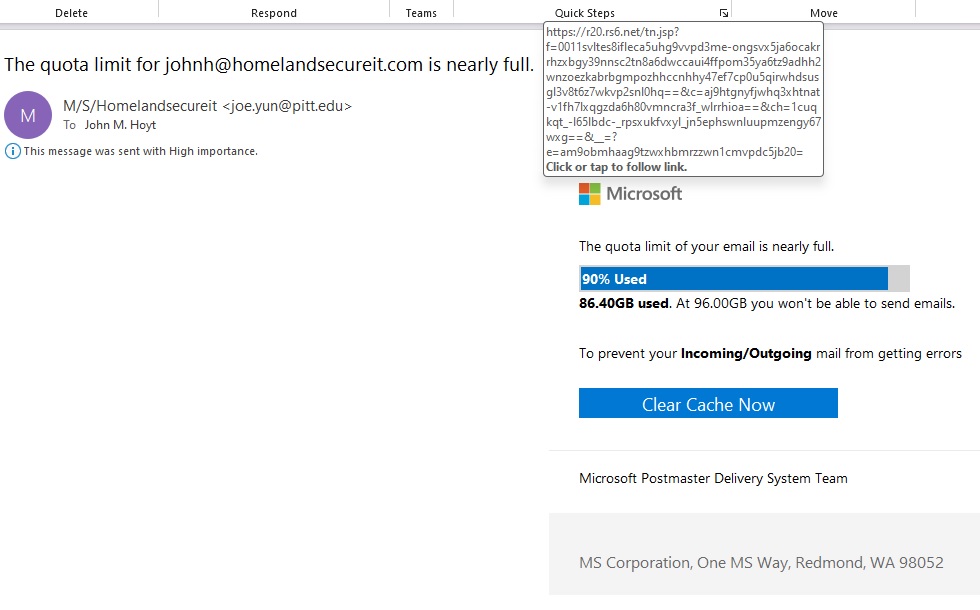
The Microsoft issue today that prevented millions and millions (over 300 million) of people from getting to their email for several hours serves as a reminder that “The Cloud” is not perfect yet.
While most businesses who have a typical Microsoft Exchange Server might experience an outage that affects their users, when a cloud provider has a glitch, it affects a massive number of individuals and businesses. Keep in mind that it is not limited to just Microsoft, large providers such as Amazon and Google have both had similar issues recently.
The Microsoft outage was blamed on a DNS problem and affected the users of Hotmail, Office 365, SkyDrive and many other “Live” systems.
If you manage a business and are thinking about a switch to the cloud, this type of issue should be taken into consideration.
Should you want to discuss how to, or if you should move your business from a localized mail solution to a cloud based solution, a cloud solution to a localized solution, or how blending the two technologies can work for you, please give us a call at 864.990.4748 or email info@homelandsecureit.com. We offer Microsoft, Google and other cloud solutions in the Greenville / Upstate, SC area!
Homeland Secure IT Alert for Friday, May 13 2011
On May 04, the FBI issued a warning about links related to the death of Usama bin Laden.
The text from the FBI site follows:
I’ve said this before, but I think I will say it again. Should you leave a job and have personal files on your system, sure, by all means, delete your PERSONAL files, that’s okay, right?
Maybe… In fact, laws on the books that state that everything you do at work is property of the employer, however, I am not a lawyer, so I won’t get into that. What I WILL harp on is that if you do decide to delete a folder containing *your* personal files, not files belonging to the soon-to-be-ex-employer, then everything should be okay, but when you cross the line and either delete *everything* you can, including important system files, or possibly use a “secure wipe” application to write 1s and 0s to the drive, or even attempt to format a drive, then you have moved from protecting your privacy to destruction of property, malicious mischief, and a whole plethora of laws that cover this.
There is an entire field dedicated to recovering data intentionally deleted or destroyed. These “forensic” technicians are very good at it and also come with a hefty price tag. So, if you should happen to delete files, and it causes your former employer to enlist the assistance of an expert in recovery, then you can expect the associated costs to be passed on to you.
My advice is as follows:
If you are at work, why not work? Try to keep your personal files and emails totally off the business network. Use your Android or iPhone to read emails, or optionally web based email (gmail) if your company policy allows accessing external email accounts via the web on work computers.
Failing that, keep all your non-work email in a folder named something like “John’s Personal Email”, and personal files in a similarly named folder. Upon leaving, delete those and ONLY those folders.
What about your browser cache, all those cookies, auto-logged on sites, etc? Well, if your personal life did not intertwine with work, then you wouldn’t have this problem, but now you do, so what to do? You COULD empty the cache, or you could use a tool like “CCleaner”, but those will remove legit work-related data too. Of course you could have enabled privacy mode and attempted to browse without leaving a trace, but you didn’t.
Okay, so just what CAN be recovered should you decide to delete your files and email before you leave?
Depending on how the Exchange server is configured, your mail may be backed up, possibly archived, forever, so even if you delete your mail today, last night’s backup got it all up until it ran.
Your desktop may be backed up as well, and it is possible that you do not even know it is happening. More and more businesses are opting for nightly, weekly or monthly imaging of all PCs. Some computers are set to sync the documents folders to a centralized server.
And there’s always the chance that an employee will FEEL you did something bad, even if you had no intent to defraud them of their data and they will hire someone like me and my company, Homeland Secure IT to retrieve data from the hard drive. As I write this post, I am doing that for a new client in a similar situation.
Just what can we recover? Most everything. A “DELETE” doesn’t get it. Actually, we have successfully recovered files from a hard drive that had a “secure wipe” performed on it.
If your business needs data recovery services, please contact us in the Greenville / Upstate, SC area at 864.990.4748 or email info@homelandsecureit.com – If it’s there, we’ll get it.
Every year about this time, millions of people spend hours or even days cleaning up their computers. They weed through mail, files and other data, trying to determine what is to be kept and what should be deleted.
I suggest NOT cleaning. Sure, you can ORGANIZE, but why risk losing an important file?
External hard drives are inexpensive and easy to connect, as in plugging in! Then you can use the built-in archive functions in your Microsoft Outlook to move mail to a .pst file that can be saved to the USB drive.
I also advise using MULTIPLE means of archiving, whether it is a DVD disk and a USB drive, or two USB drives, just something that will be stored elsewhere. You could try one of the various cloud computing solutions as well, like DropBox…
With files stored on your system, say in the Documents folder, you can sort them by the date they were last modified and then move them to an external drive. Again, having data in more than one place is always desirable. You can never have too many backups in my humble opinion!
What do YOU do to archive your data, mail or do you? Do you just delete it?
Being in the computer service business, every day we are seeing more and more computers that have been compromised, whether they are Microsoft Windows, Apple Mac OS X, Linux, it doesn’t matter. Even iPhones and Androids are falling victim to various malware found as a result of blindly following links.
What can you do to help protect yourself, your computer and your private data? Use a little common sense and don’t just randomly click on every link you see.
Sometimes, a link can come to you through email, a Facebook message, or a wall post on Facebook, and it will appear to be from your best friend, or a trusted co-worker, but it was really sent from a malicious source.
Here’s an example of a link posted on Facebook recently:
This is a typical “social engineering” attempt to get you to visit a malicious site.
It works like this: The mark will see the link on their best friend’s wall and because it looks appealing and came from Bob, it has to be good, so they click on it. The link loads a site that LOOKS like YouTube or some other video site. When they try to play the video, what happens next is sheer genius. They are told that a codec or other piece of software needs to be updated. Of course, they have gone this far, so they will almost always agree to install the software.
And THAT is where the magic takes place. Even if you are running anti-virus, many times, this malicious software is allowed to install because the A/V sees it as a “user initiated action” and simply gets out of the way and lets you perform the install. After all, you know what you are doing, right?
Now there is malicious software running which may do many things, from disabling the anti-virus, to loading key loggers that send every key typed on that computer to some site in Tracrapistan, or full access to the machine may be granted to a remote user, allowing them to use the exploited machine to send spam, distribute more bad software etc. Whatever takes place is surely not good. They are not defragging the hard drive and doing your taxes.
Then there’s email “Phishing”… Here’s what that looks like… Can you spot what is wrong?
There are a number of things wrong with the above email example… Most banks do not send you email warnings that you have been locked out of your account, and in my case, I don’t even have a Chase bank account…. But those are not the one tell-tale sign that will prove beyond a shadow of a doubt it is a phishing message or an attempt to coax you to a malicious website…
To see that, you need only hover over the link itself:
When you place your mouse over the link, without even clicking on it, your email client will generally display the actual link. This one points to http://ciamedia.be…. not even close to a Chase server. The perpetrator of this attempted phishing attempt didn’t even try. Sometimes they will register a domain that LOOKS like the source, such as http://www.chasesecuresite.com.
Again, if you are using current mainstream anti-virus software, such as Trend Micro Worry-Free Business Security or Trend Micro Titanium, every URL that you visit will be checked before allowing you to continue… Attempting to visit a malicious site will result in a dire warning displayed in your browser….
Above is the warning you will see in your browser upon visiting a fraudulent site if you are using Trend Micro Worry-Free Business Security …
Then you will also see this warning pop up from your task bar:
Obviously, relying solely on your anti-virus software is not the wisest thing in the world… Safely browsing the web requires some common sense.
BUT, reliable and up to date anti-virus gives you an advantage that your unprotected brethren do not have. Especially for you Apple Mac OS X owners.
If you are looking for quality anti-virus, anti-malware, anti-spam software for your business or personal computer, we highly recommend Trend Micro… We are a Trend Micro partner and would love the opportunity to offer their fantastic products to you, whether you need only one install for yourself, or 1000 seats for your company. We not only sell it, but we support it, along with full computer, server & network service / repair in Greenville & Upstate SC!
Please email info@homelandsecureit.com or call 864.990.4748 for more information.
Well, I gave it a valiant effort, got the car dug out, even got it down that steep driveway and down the street, but was unable to get out of the neighborhood here in the big town of Easley… Tomorrow may be a better day for driving, but with the school systems already declaring tomorrow another snow day, and the chance of sleet and refreezing, I’m thinking maybe not.
I made an executive decision and decided to close our office today, and more than likely tomorrow out of concern for the safety of our guys. Stay tuned for more information regarding when we will reopen the office.
If you should require computer, server or network support before then, please do not hesitate to call or email, as we can provide many repairs via remote, email or phone support and will do our best to assist you! Voice mails left on our phone system go direct to our respective email addresses.
Enjoy your Greenville / Upstate #snOMG day and be safe out there if you decide to go play!
The “preview” of Microsoft Windows Small Business Server 7 has been available for months, and it looks like we are approaching an RTM (Release To Manufacturing) soon.
Windows Small Business Server 7 is a total refresh of the Small Business Server 2008 which was built around Microsoft Server 2008 and Microsoft Exchange 2007.
SBS 7 is built around Microsoft Server 2008 R2 and Microsoft Exchange 2010, and is destined to be named “Microsoft Small Business Server 2011″. Microsoft has stated it will come in two popular flavors:
Windows Small Business Server 2011 Essentials
- Ideal first server for small businesses with 25 users or less.
- Allows you to backup every computer and server on the network, and to restore individual files, folders or an entire PC or server with provided disaster recovery tools.
- Provides remote access to important information from virtually anywhere. Access computers and documents via the web.
- It is a gateway to cloud services as well, paving the way for the future of Software as a Service (SaaS).
Windows Small Business Server 2011 Standard
- Complete On-Premise Solution for businesses with up to 75 users.
- Enterprise-class technology in an affordable, all-in-one suite.
- Automatic backup of data
- Centralized patch / update management.
- Provides fast and secure remote access to files, email and more via a web browser.
Windows Small Business Server 2011 will likely be the product that we sell the most of as it fits the needs of our average client, but the Essentials version will be attractive to the small business moving from a peer-to-peer network to a server-centric solution that can provide the security they require without breaking the bank.
SBS 2011 will be secure, efficient and flexible just like the current SBS 2008, but with all the latest bells and whistles!
For those interested in seeing the software first-hand, the preview versions are still available HERE…
Considering a server deployment in the coming year? Windows Small Business Server 2011 may fit the bill. Please call us at 864.990.4748 or email info@homelandsecureit.com for a free consultation in the Greenville / Upstate SC area. We provide full computer, server & network support, service, repair, sales & consultation!
An article from the Associated Press published on news.yahoo.com on Wednesday outlines the threat that the Stuxnet virus poses to industry around the world.
The malicious computer attack appears to primarily target the Iranian nuclear plants, but according to the article, it can be modified to interfere with industrial control systems around the world, and “represents the most dire cyberthreat known to industry”, according to government officials and experts.
Of course government will not be of help, even though Senator Joe Leiberman says that legislation on the matter will be a “top priority” AFTER lawmakers return in January.
This means it is up to businesses to do everything they can to protect their networks from Stuxnet and its variants as well as the plethora of other malicious software aimed at wreaking havok on society.
What can you do to protect your computer network infrastructure? I’m glad you asked! What follows is a rough outline of some actions you can take to prevent malware from infiltrating your network…
- Whatever physical network firewall you are using should be current, not an end-of-life unit. If you are using anything older than 5 years, chances are good, even with the latest firmware updates, it is of little protection. Consider using a newer product, from a reputable manufacturer such as Cisco, WatchGuard, SonicWall, Jupiter, and make sure it has all the latest updates on it. If you have questions, your network support specialists can help.
- If your firewall features IDS (Intrusion Detection), use it. Watch logs, look for active attempts by people to get into your network.
- Never going to do business outside the USA? Don’t require email from various countries? You could lock down your firewall to block traffic from some “hot spots”, such as China, Russia, the Middle East, etc.
- Lock down unused services (Not using FTP on your servers? Block the port, disable the service)
- Don’t forget about those servers on your network which are not accessible from the outside world, many times a workstation is exploited and a “bad guy” uses that workstation to gain access to other servers to run their own applications on. If you don’t access these machines often, activity could go unnoticed, for weeks, months and longer!
- Insure all computers are up to date with the Operating System patches, regardless if they are Mac OS X, Microsoft Windows XP, Vista, 7, linux, etc. Implement a patch management system.
- Insure all applications have the latest patches and updates applied. (Especially Adobe products and JAVA).
- Leave behind OLD, unsupported, insecure applications, plugins, extensions, and operating systems. If it is unsupported, how will vulnerabilities be addressed? Security through obscurity probably is not a good idea.
- Anti-Virus is not an option! Thinking that a free anti-virus is “better than nothing”? Remember the old adage, “You get what you pay for”. Do you really want to take a chance with your security? We recommend quality anti-virus from Trend Micro, or at least Symantec or McAfee. Thinking your Mac is not vulnerable is a fantasy.
- Browsing – stop it! If you have users on your network who spend their day browsing sites randomly, you may want to consider putting a policy in place to limit the types of sites they use, or at least use web filtering / web reputation (such as is offered in Trend Micro Worry Free Business Security) to help protect you from known bad sites. Trend Micro WFBS allows you to specify types of sites, such as “social media”, “news”, “alternative lifestyle”, “adult”, and more that you may want to prohibit users from visiting.
- Email filtering is a must, not only can it keep out unwanted & unsolicited email (SPAM!), it can block harmful links and attachments. Again, Trend Micro WFBS Advanced is a great solution for your small and medium business.
This list is by no means a complete checklist, but it will help you get started in analyzing your needs. If you have questions, you may wish to enlist the assistance of a qualified network support specialist. We can help with that and all your computer repair & service needs as well as sales of Trend Micro, Cisco, WatchGuard, SonicWall, Symantec and other products here in Greenville and Upstate of SC. Call 864.990.4748 or email info@homelandsecureit.com for more information or a free consultation!
Be safe out there!
A post today on Trend Micro’s TrendLabs Malware blog pointed out how spammers will use the upcoming G-20 Summit as a way to distribute their content.
It works like this: The spammer sends emails out, they appear to come from the Japanese finance ministry and contain comments on issues related to the Summit.
Should you click on the link, it will lead to a .ZIP file, and when that is run, it opens a Word document which helps cover its tracks so that it does not appear to be malicious… Trend explains that what REALLY happens is that a malicious file is contained in the payload, and the registry is modified so that it is run at startup.
Trend Micro Worry Free Business Security Advanced and ScanMail as well as other Trend Micro products successfully detect this as the appropriately named “TROJ_DROPPER.WTH” and stops it before it gets into your system. The actual malicious file is detected as “TROJ_AGENT.JAAK”.
This is nothing new, every major news-worthy event for the past few years has served as a transport mechanism for various malware and spam messages. If a spammer uses “US President Attacked” as a topic, chances are good, if the from address looks legitimate that a large percentage of people will open it. If that message contains ONLY spam, then at the very least, thousands or tens of thousands of people have just seen their ad about some product or another. If it contains a link to a malicious site, many will follow that link if it looks enticing.
As always, use common sense, and be sure to employ some form of mail system protection. We recommend Trend Micro WFBS Advanced for small businesses like our own.
If you would like additional information about Trend Micro’s security products, or how you can stop or at least cut down on spam that affects your Microsoft Exchange Server, email us at info@homelandsecureit.com or call 864.990.4748. We offer Greenville and Upstate businesses free consultations, and we can help reduce your spam and mail issues!
After another horrible day of Nextel service I gave up and went to the Sprint store where they attempted to upgrade the software on my Blackberry 8350i… What was supposed to take a few minutes (45 or so) ended up taking until the end of their business day, and they were going to have it for me at start of business today.
I was at their door at 9 AM to find the nice little tech all apologetic over the fact that the update bombed during the night and that she had started it over…. I figured 45 minutes, maybe an hour… So I waited… And waited.
Turns out the operating system had become corrupt and the trusty old BB was now a brick… She said a phone could be in tomorrow but it looked like Monday. (This was at about 11:30 or so)
If you know me, you know that I am one connected guy, constantly getting and sending emails, direct connects, phone calls, twitter, facebook, foursquare, yada yada yada, and being without my phone for 18+ hours was making me more than antsy! The tech was going to put my SIM card, keyboard and whatever in another old/broken phone and let me use that. But then the phone would be just a phone, until it was put back on our Blackberry Enterprise Server, only to repeat this again when the replacement phone came in.
At this point, I called my wife and we went for option two. We purchased new Samsung Epic 4g Android 2.2 phones, and swung our service over from the Nextel side to the Sprint side. Then worked on getting all the phones going for the techs and myself. I left there at about 2:15 in the afternoon, with a phone in my hand for the first time in almost 24hrs.
Now we are getting these new phones setup and tweaked to suit our needs… They are associated with our Microsoft Exchange Server (I have two Exchange servers and a Google account associated with mine), and using the app that Bradley Durham told us about, TiKL, we now have a replacement for Nextel’s “Direct Connect”, though kinda sketchy…
The specs for the Samsung Epic 4g are quite amazing…
- Android 2.2 OS
- 1Ghz Samsung
- 4″ AMOLED
- 5 Megapixel camera 720p
- 16 GB memory card
- 3g / 4g speeds (Up to 10 Mbps at 4g which is not in Greenville yet)
- WiFi Hotspot for up to 5 devices
- QWERTY Keyboard that slides out
- Claims of 6+ hours talk time
Only time will tell, and I will post a follow-up to this post as we get used to these phones….. As for me, I am back to finding the perfect app for Twitter, Facebook, etc, etc, etc….
If you want to read my original post, go HERE
Have a great weekend!!!